ASP.NET vs .NET Core: What’s the Difference in 2026?
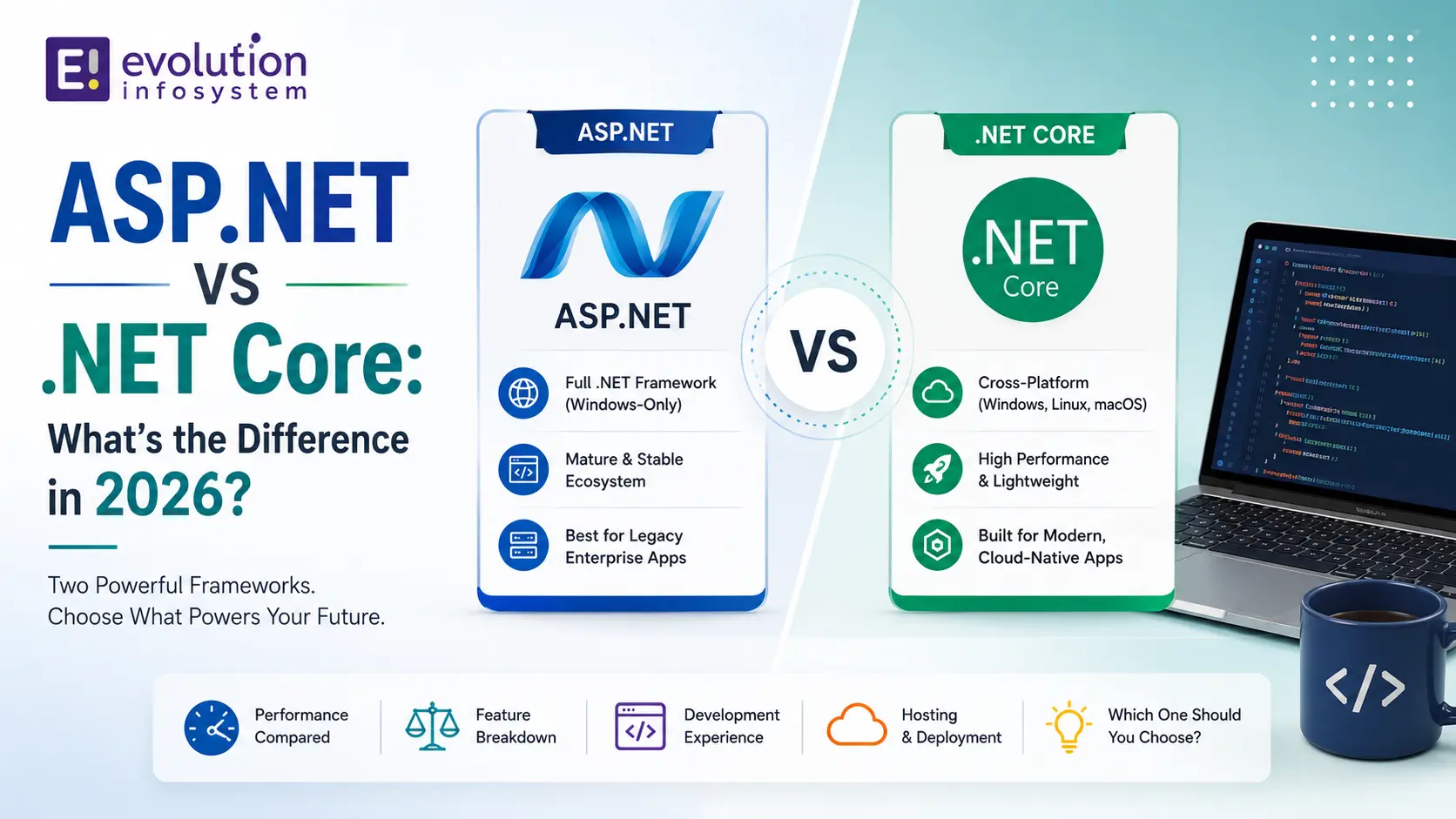
If you’ve spent any time around a .NET codebase, you’ve probably run into this question in some form: “Wait, is this project on .NET Framework or .NET Core?” It’s a reasonable question, but in 2026 it’s also a little out of date. The platform that used to be called .NET Core is now just called .NET, and “ASP.NET” itself can mean two genuinely different things depending on which era of Microsoft’s stack you’re standing in.
This guide untangles the ASP.NET vs .NET Core differences that actually matter today: what each term means, how the platforms diverge technically, and which one makes sense for a new project versus an existing one you’re maintaining. No fluff, no vendor-speak, just the practical distinctions a developer or engineering lead actually needs.
A Quick Note on Terminology Before We Go Further
Before comparing anything, it helps to get the naming straight, because this is where most confusion starts. Microsoft’s own naming history here hasn’t done anyone favors, and it’s genuinely reasonable to feel lost if you haven’t been following along release by release.
ASP.NET (sometimes called “ASP.NET Framework” or “classic ASP.NET” to disambiguate it) is the original web framework built on top of .NET Framework, Microsoft’s Windows-only runtime first released in 2002. It includes things like Web Forms, MVC 5, and Web API 2.
ASP.NET Core is the modern, cross-platform web framework built on top of what used to be called .NET Core, and is now simply called .NET. It was rebuilt from scratch in 2016, not evolved from the old codebase.
.NET Core itself, as a name, technically stopped existing after version 3.1. Starting with .NET 5 in 2020, Microsoft dropped “Core” from the name entirely, unifying everything, desktop, web, cloud, mobile, under a single “.NET” brand with annual releases. So when people search for ASP.NET vs .NET Core differences today, what they’re really asking about is the split between classic ASP.NET (on .NET Framework) and ASP.NET Core (on modern .NET).
It’s worth sitting with that last point for a second, because it trips up even experienced developers coming back to .NET after a few years away. If a colleague mentions “.NET Core” in a planning meeting in 2026, they almost certainly mean current, modern .NET in general terms, not a specific product still called that. The industry vocabulary hasn’t fully caught up to Microsoft’s own naming change, and probably never will completely, which is exactly why a guide like this one is still useful years after the rename happened.
Where Each Platform Actually Comes From
ASP.NET’s Origins on .NET Framework
ASP.NET launched as part of the original .NET Framework, tightly bound to Windows and to Internet Information Services (IIS) as its hosting model. It was built for a world where your app ran on a Windows Server box you owned or rented, full stop.
Over the years it grew several distinct programming models bolted onto the same underlying framework: Web Forms (drag-and-drop, event-driven, very “enterprise Windows app on the web”), MVC, and Web API. They share the same runtime but feel like different eras of web development, because they are.
If you’ve ever inherited a codebase that mixes Web Forms pages with an MVC area bolted on years later, you’ve seen this history firsthand. It’s not a design flaw exactly, it’s the visible result of a framework that kept adding new programming models on top of the same foundation for over a decade rather than a single, coherent design built all at once.
ASP.NET Core’s Rebuild From Scratch
ASP.NET Core wasn’t a refactor of the old framework, it was a ground-up rewrite. Microsoft built a new, modular runtime (originally called CoreCLR), stripped out the Windows-only assumptions, and designed the whole thing around lightweight, container-friendly, high-throughput web workloads from day one.
This is the single biggest reason the ASP.NET vs .NET Core differences run so deep. You’re not comparing two versions of the same product. You’re comparing an early-2000s web framework carrying twenty-plus years of Windows-specific baggage against a framework designed for Linux containers and Kubernetes that happens to also run great on Windows.
The rebuild-from-scratch decision was controversial at the time. Some of the .NET community worried that starting over would mean losing years of maturity and edge-case handling that classic ASP.NET had accumulated. In hindsight, that tradeoff mostly paid off: the modern platform reached feature parity with the old one’s practical use cases years ago, while gaining an entire category of capability, real cross-platform support, containers, cloud-native patterns, that a incremental evolution of the old codebase likely couldn’t have delivered as cleanly.
The Technical Differences That Actually Matter
Platform and Cross-Platform Support
Classic ASP.NET runs on Windows only, because .NET Framework runs on Windows only. There’s no getting around it; it’s baked into the runtime.
ASP.NET Core runs on Windows, Linux, and macOS. This isn’t a marketing bullet point, it’s a genuine architectural capability that shows up the moment you try to deploy into a Linux-based container, which is most containers in production today.
Hosting Model
Classic ASP.NET is tightly coupled to IIS. That’s not necessarily bad if you’re already all-in on Windows Server infrastructure, but it does limit your options.
ASP.NET Core ships with its own lightweight, cross-platform web server called Kestrel, which you typically run behind a reverse proxy (IIS, Nginx, or a cloud load balancer) in production. This decoupling is part of why ASP.NET Core apps tend to be easier to containerize and scale horizontally.
Performance
ASP.NET Core is measurably faster than classic ASP.NET on equivalent hardware, and this isn’t a close call. Independent benchmark projects like TechEmpower have tracked this gap for years, and Microsoft’s own published ASP.NET performance numbers show the same trend release over release.
Part of this comes from the leaner runtime. Part of it comes from architectural choices, like the request pipeline being built around middleware rather than the older, heavier page lifecycle model that Web Forms in particular relied on.
Dependency Injection
ASP.NET Core has dependency injection built into the framework from the ground up. You register your services in a few lines during startup, and the framework handles wiring them into your controllers, minimal API endpoints, or Razor Pages.
Classic ASP.NET has no first-class DI container. You can absolutely add one (Autofac, Unity, and others were popular choices for years), but it’s an add-on, not a foundational design decision. This distinction matters more than it sounds like it should, because DI shapes how testable your codebase ends up being.
If you’ve worked on a classic ASP.NET project that bolted on a third-party DI container years into its life, you know how much friction this can add. Retrofitting dependency injection into code that was never designed around interfaces and constructor injection from the start is a real, non-trivial undertaking, often touching far more of the codebase than the DI container swap itself would suggest.
Configuration
Classic ASP.NET configuration lives in Web.config, an XML file that grows unwieldy fast and doesn’t play especially well with modern deployment pipelines or secrets management.
ASP.NET Core uses a layered configuration system that can read from JSON files, environment variables, command-line arguments, user secrets in development, and services like Azure Key Vault in production, all merged together through one consistent API. If you’ve maintained a Web.config file with environment-specific transforms, you’ll appreciate this difference immediately.
Testability
Web Forms, in particular, was notoriously difficult to unit test, largely because of how tightly the UI and page lifecycle were coupled together. MVC on classic ASP.NET was better, but still required more scaffolding to test cleanly.
ASP.NET Core was designed to be testable from the start. Built-in dependency injection means you can substitute real services with test doubles without fighting the framework, which is a meaningful quality-of-life difference for teams that actually write automated tests.
Deployment Model
Classic ASP.NET apps generally require .NET Framework to be installed system-wide on the host machine, and deployment tends to assume that shared runtime is already there.
ASP.NET Core supports self-contained deployment, where the app ships with its own copy of the runtime, and framework-dependent deployment, where multiple apps share an installed runtime. This flexibility is part of what makes ASP.NET Core apps so much more portable across environments.
Project File Format and Tooling
Classic ASP.NET projects use the older, verbose .csproj format, where every single file in your project has to be explicitly listed. Add a new class file outside of Visual Studio and forget to include it in the project file, and it silently won’t compile into the build.
ASP.NET Core moved to the SDK-style project format, which is dramatically leaner and includes files by convention (anything in the folder structure is picked up automatically unless you exclude it). This sounds like a small thing until you’ve spent an afternoon debugging why a file “isn’t in the project” on the old format.
NuGet and Package Management
Both platforms use NuGet, but classic ASP.NET projects historically leaned on packages.config, a separate XML file tracking package references, which frequently drifted out of sync with what was actually referenced in the project.
ASP.NET Core folds package references directly into the SDK-style .csproj file itself, using PackageReference entries. It’s a small mechanical difference, but it removes an entire category of “why does this build work on my machine and not CI” problems.
Middleware and the Request Pipeline
Classic ASP.NET’s request handling is built around HTTP Modules and Handlers, an older, less flexible extensibility model layered on top of the original ASP.NET pipeline design from the early 2000s.
ASP.NET Core replaced this entirely with a middleware pipeline: a clean, ordered sequence of components that each get a chance to inspect, modify, or short-circuit a request as it flows through. It’s a much simpler mental model, and it’s part of why cross-cutting concerns like authentication, logging, and error handling are so much easier to reason about in ASP.NET Core.
Minimal APIs and Modern Patterns
Minimal APIs, introduced in .NET 6, let you write a fully functional HTTP API in a handful of lines without any of the controller and action scaffolding MVC requires. There’s no equivalent in classic ASP.NET; even the leanest Web API controller carries more ceremony than a minimal API endpoint does.
This matters for small services and microservices specifically, where the traditional MVC controller pattern can feel like overkill for an endpoint that does one simple thing.
Summarizing the ASP.NET vs .NET Core Differences
| Classic ASP.NET | ASP.NET Core | |
|---|---|---|
| Underlying runtime | .NET Framework (Windows-only) | Modern .NET (cross-platform) |
| Hosting | Coupled to IIS | Kestrel, works behind IIS/Nginx/any proxy |
| Dependency injection | Bolt-on, third-party | Built in |
| Configuration | Web.config XML | Layered JSON/env vars/secrets |
| Project format | Old-style .csproj | SDK-style .csproj |
| Container support | None | First-class, container-native |
| UI models | Web Forms, MVC | Razor Pages, MVC, Blazor |
| Current status | Final version (4.8), patches only | Actively developed, annual releases |
Seeing all of this laid out together is usually the point where the ASP.NET vs .NET Core differences stop feeling abstract and start feeling like a genuinely different tool for a genuinely different set of problems, even though both carry the “.NET” name.
What Hasn’t Changed: Why Some Teams Are Still on Classic ASP.NET
It’s worth being honest here, because a lot of comparison content skips this part: there are legitimate, non-lazy reasons a team is still running classic ASP.NET in 2026.
WCF (Windows Communication Foundation) never fully made the jump to modern .NET. If your app depends on WCF services, migrating means re-architecting that communication layer, not just recompiling.
Web Forms has no direct equivalent in ASP.NET Core. The event-driven, ViewState-based programming model doesn’t map cleanly onto Razor Pages or MVC, so migrating a large Web Forms app is a genuine rewrite of the UI layer, not a port.
COM interop and Windows-specific integrations (registry access, certain legacy Windows APIs) can also be blockers, though these are less common than WCF and Web Forms as reasons teams stay put.
Outside of these three specific situations, there’s not much of a defensible case for starting something new on classic ASP.NET today. Microsoft itself has been clear that .NET Framework 4.8 is the final version: it gets security patches, not new features, and it will never get container support or cross-platform capability.
Version History: How We Got From .NET Core to Just “.NET”
Understanding the version timeline makes the ASP.NET vs .NET Core differences much less confusing, because it explains why the terminology shifted underneath everyone.
.NET Core 1.0 through 3.1 (2016–2020) established the new cross-platform foundation: different runtime, different base class libraries, a genuinely separate codebase from .NET Framework. This was the “Core” era people still refer to by habit.
.NET 5 (2020) was the unification point. Microsoft skipped straight from Core 3.1 to 5 (intentionally avoiding “4” to prevent confusion with .NET Framework 4.x), and dropped “Core” from the name for good. From here on, “modern .NET” and “ASP.NET Core” both just mean the current, actively developed platform.
.NET 6, 7, 8, and 9 followed on an annual release cadence, with Long-Term Support (LTS) releases arriving every other year and getting roughly three years of support. .NET 8 is the current LTS baseline as of this writing, with .NET 10 LTS following behind it. If you’re planning a multi-year production roadmap, anchoring to an LTS release rather than an odd-numbered interim release is generally the safer call.
Each release since .NET 5 has quietly narrowed the gap for edge cases that used to be genuine Framework-only limitations. Windows-specific APIs got better coverage through compatibility packs, performance kept improving release over release, and the tooling ecosystem, IDEs, CI systems, container base images, matured around the new platform rather than treating it as the newcomer.
Blazor and the UI Story
One gap worth calling out specifically: for years, ASP.NET Core didn’t have a clean answer to Web Forms’ event-driven, stateful UI model. Blazor changes that picture somewhat, offering a component-based UI framework that can run server-side or in the browser via WebAssembly, with a programming model that’s closer to what Web Forms developers are used to than a plain Razor Pages or MVC app.
Blazor isn’t a drop-in replacement for Web Forms, the underlying architecture is different enough that you’re still rebuilding UI logic, not porting it. But it’s worth knowing about if the reason you’ve been avoiding migration is specifically “we don’t want to lose our stateful, component-based UI model,” since that objection carries less weight than it did a few years ago.
The Real Cost of Staying on Classic ASP.NET
Hiring and Talent
New .NET developers are learning modern .NET. They’re not spending their limited learning time on Web.config transforms or the Web Forms page lifecycle, because that’s not what job postings, tutorials, or bootcamps are teaching anymore.
This shows up as a real, gradually widening hiring problem for teams that stay on classic ASP.NET indefinitely. You’re not just maintaining an older codebase, you’re competing for a shrinking pool of developers who both know the old platform and want to keep working in it.
It’s worth being specific about why this pool keeps shrinking rather than just asserting it does. University courses, coding bootcamps, and Microsoft’s own official learning paths all center on modern .NET now. A developer graduating in 2026 with strong .NET fundamentals has, in most cases, never touched Web Forms or Web.config outside of maybe a brief historical mention. That’s not a knock on classic ASP.NET’s design, it’s simply where the industry’s collective attention has moved.
Infrastructure Costs
Classic ASP.NET’s dependency on Windows and IIS generally means paying for Windows Server licensing and hosting, which tends to run higher than equivalent Linux-based hosting for a cross-platform ASP.NET Core app. At meaningful scale, this cost difference compounds into a genuine line item worth modeling, not just a rounding error.
Security Patching Cadence
.NET Framework 4.8 still receives security patches, so this isn’t an urgent risk in the way running genuinely unsupported software would be. But new features, performance improvements, and expanded platform capability have permanently stopped. Every year that passes, the functional gap between what classic ASP.NET can do and what ASP.NET Core can do gets a little wider, not narrower.
Migration Considerations: Should You Move an Existing App?
When Migration Makes Sense
If your classic ASP.NET app is a fairly standard MVC or Web API application, without heavy WCF or Web Forms dependencies, migrating to ASP.NET Core is usually a well-trodden path. You get real, measurable benefits: better performance, cross-platform deployment options, and a codebase that’s easier to hire for going forward, since new .NET developers are learning modern .NET, not classic ASP.NET.
The actual mechanics of a straightforward MVC migration usually involve moving controllers and views over with modest changes, replacing Web.config settings with the new configuration system, swapping out any third-party DI container for the built-in one (or keeping it, since most popular ones still work fine with ASP.NET Core), and updating NuGet package references to their modern equivalents. It’s real work, but it’s well-understood work with a lot of prior art to draw on.
When It’s More Complicated Than It Looks
Teams that underestimate WCF or Web Forms dependencies tend to get stuck partway through a migration, discovering mid-project that a “quick modernization” is actually a substantial rewrite of a core piece of the application. It’s worth doing an honest inventory of what your app actually depends on before committing to a timeline.
A useful exercise before any migration project kicks off: grep your codebase for WCF service references, ViewState usage, and Web Forms-specific controls, and get an honest count. A handful of results is a manageable cleanup task folded into the broader migration. Dozens of results scattered across core workflows is a signal that you’re looking at a genuine two-phase project, not a single continuous migration.
We’ve worked through a number of these ASP.NET-to-.NET-Core migrations at Evolution, and the pattern is consistent: the parts of the app that are straightforward MVC controllers and business logic move relatively cleanly, while WCF endpoints and Web Forms pages are almost always where the real effort lives.
A Reasonable Middle Ground
You don’t have to migrate everything at once. It’s common for teams to run classic ASP.NET and ASP.NET Core side by side for a while, building new features in ASP.NET Core and gradually chipping away at the legacy pieces, rather than freezing feature development for a big-bang rewrite.
This side-by-side approach usually works best when the two applications can be split along genuinely separate functional boundaries, a new customer-facing API in ASP.NET Core alongside an existing internal admin tool still running on Web Forms, for example, rather than trying to have both platforms serve the same pages simultaneously.
Common Mistakes When Planning a Migration
A few patterns show up repeatedly in migrations that go worse than expected. Treating the migration as a pure technical lift-and-shift, without budgeting real time for the WCF or Web Forms pieces specifically, is the most common one. Skipping automated test coverage before starting is another, since it’s much harder to verify a migrated feature behaves identically without a test suite to check it against.
Underestimating the configuration and infrastructure side is a third recurring issue. Teams focus heavily on code changes and treat the Web.config-to-appsettings.json conversion, hosting environment setup, and deployment pipeline changes as an afterthought, when in practice this infrastructure work often takes longer than expected.
Which Should You Learn or Build On Today?
If you’re learning .NET web development from scratch, or starting a new project with no legacy constraints, the answer is straightforward: learn and build on ASP.NET Core, using a current LTS release of .NET. The skills, patterns, and ecosystem all point forward, and classic ASP.NET knowledge doesn’t transfer cleanly in the other direction.
If you’re maintaining an existing classic ASP.NET application, you don’t need to panic or rush a rewrite. .NET Framework 4.8 is still fully supported with security patches. But it’s worth understanding the ASP.NET vs .NET Core differences well enough to make a deliberate decision about your app’s future, rather than staying on classic ASP.NET by default because nobody ever revisited the question.
A useful gut check: if someone asked you today why your team is still on classic ASP.NET, could you give a specific technical reason, WCF dependencies, Web Forms UI, a genuine business constraint, or would the honest answer be closer to “we just never got around to looking at it”? The first kind of answer is a legitimate engineering decision. The second is worth revisiting, even if the conclusion ends up being the same for now.
Frequently Asked Questions
Is ASP.NET Core the same as .NET Core?
Not exactly, though they’re closely related. .NET Core (now just “.NET”) is the underlying runtime and set of libraries. ASP.NET Core is the web framework built on top of it, the part you actually use to build web apps and APIs.
Is .NET Core the same thing as .NET now?
Yes. Starting with .NET 5 in 2020, Microsoft dropped “Core” from the name and unified everything under “.NET.” When people say “.NET Core” today, they typically mean current, modern .NET, not a specific separate product.
Can ASP.NET Core run on Windows Server and IIS?
Yes. ASP.NET Core apps can absolutely be hosted on Windows Server behind IIS, using IIS as a reverse proxy in front of the built-in Kestrel server. Cross-platform support doesn’t mean you have to leave Windows behind, it means you’re no longer required to.
Is ASP.NET Core faster than ASP.NET?
Generally yes, and by a meaningful margin in most benchmarks. Independent projects like TechEmpower and Microsoft’s own published performance data consistently show ASP.NET Core outperforming classic ASP.NET on equivalent hardware, largely due to its leaner, more modern runtime architecture.
Is .NET Framework dead?
Not dead, but it is finished in terms of new development. .NET Framework 4.8 is Microsoft’s final version of the Framework line. It continues to receive security patches, but it won’t get new features, cross-platform support, or container support going forward.
Should I migrate my old ASP.NET app to ASP.NET Core?
It depends on what your app actually depends on. Standard MVC or Web API applications usually migrate well and see real benefits. Apps with heavy WCF or Web Forms usage require a more substantial rewrite of those specific pieces, so it’s worth auditing dependencies honestly before committing to a timeline.
What’s the difference between .NET Core and .NET Standard?
.NET Standard is a specification, a common set of APIs that different .NET implementations (Framework, Core, Xamarin) could all support, letting you share code across them. It’s largely been superseded now that modern .NET is genuinely unified, but you’ll still see it referenced in older library documentation.
Does Web Forms exist in ASP.NET Core?
No, and this is one of the most consequential ASP.NET vs .NET Core differences for teams with legacy apps. Web Forms has no direct equivalent in ASP.NET Core. Migrating a Web Forms app typically means rebuilding the UI layer using Razor Pages, MVC, or Blazor rather than porting the existing code.
Which version of .NET should I use for a new project in 2026?
Use a current Long-Term Support (LTS) release, currently .NET 8, with .NET 10 LTS following behind it. LTS releases get roughly three years of support, which makes them the safer anchor for a production roadmap compared to the annual non-LTS releases in between.
Can I run classic ASP.NET and ASP.NET Core in the same solution?
Not within a single project, since they target fundamentally different runtimes, but you can absolutely run them as separate applications within the same broader system, communicating over HTTP or a message queue. This is exactly the middle-ground migration approach covered earlier in this guide.
How long will Microsoft continue supporting .NET Framework?
Microsoft has committed to supporting .NET Framework 4.8 for the lifetime of the Windows versions it ships with, which in practice means security patches for years to come. That said, “supported” only covers patches, not new features or capability, so long-term support isn’t the same as long-term viability for active development.
Final Thoughts
The ASP.NET vs .NET Core differences aren’t really a “which is better” question anymore, they’re a “which era are you building for” question. Classic ASP.NET on .NET Framework was genuinely good software for the Windows-centric world it was built for. ASP.NET Core was built for a different world: cross-platform, container-first, and designed to move faster.
For new projects, that decision is easy. For existing applications, it’s worth an honest look at what’s actually keeping you on the older platform before assuming a migration is either trivial or impossible. The teams that handle this well tend to be the ones who audit their actual dependencies first, WCF, Web Forms, COM interop specifically, rather than assuming their app falls into a generic bucket without checking.
If you’re weighing a broader modernization effort beyond just the web layer, it’s also worth looking at how this decision fits into your wider digital transformation plans, since a platform migration is rarely just about the code, it usually touches deployment pipelines, hosting costs, and team skill development at the same time.
And if you’re weighing that decision for your own codebase and want a second set of eyes on what a realistic migration would actually involve, Evolution has been through enough of these to give you a straight answer rather than a sales pitch.