Headless CMS vs Traditional CMS: Which Is Right for You?
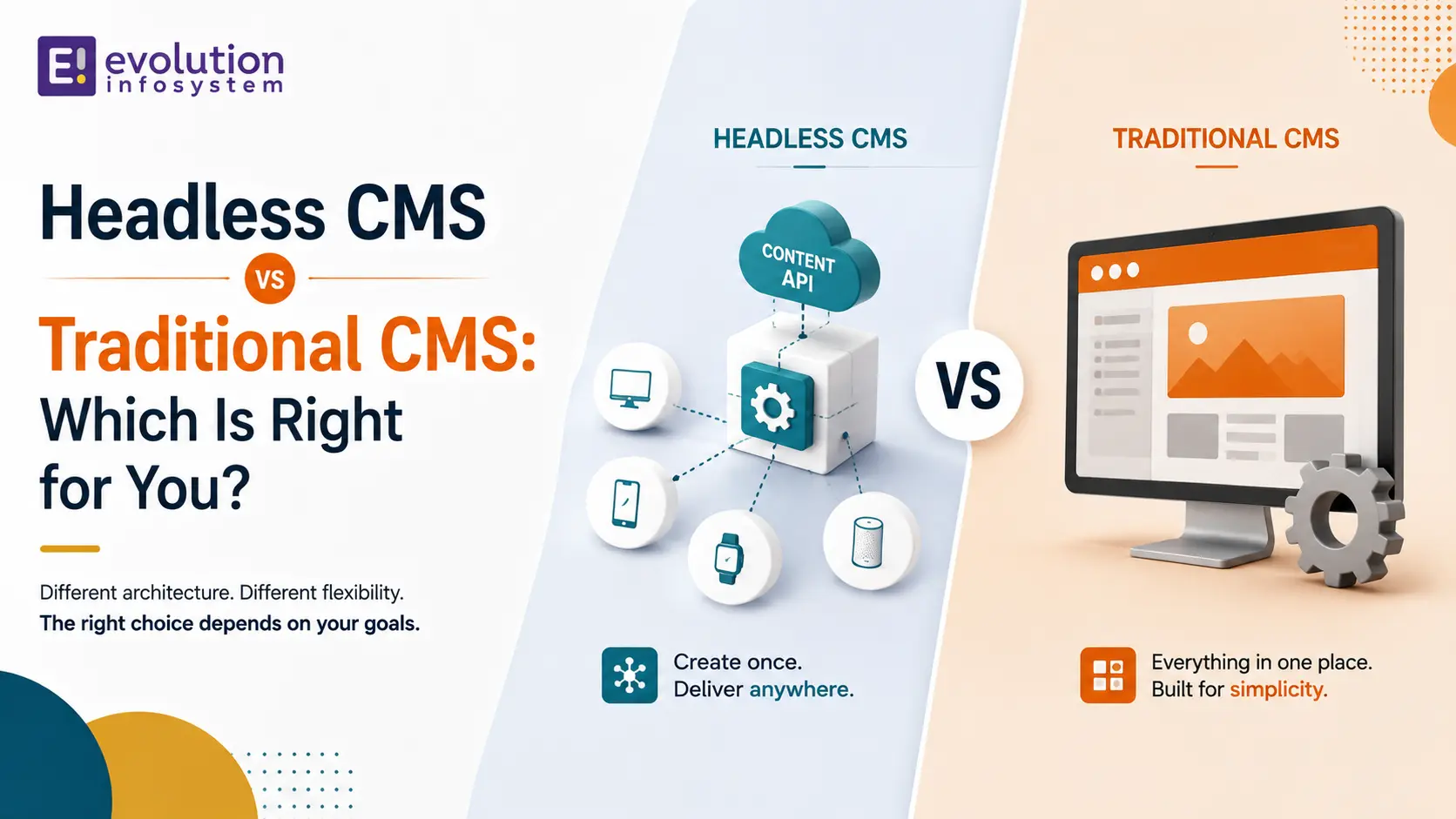
Every website rebuild eventually runs into this question: stick with a familiar, all-in-one CMS, or move to a headless architecture that separates content from presentation entirely? This headless CMS vs traditional CMS comparison exists because the answer shapes your site speed, your editor team’s daily workflow, and your development budget for years.
Most articles on this topic lean hard toward whichever side feels more modern. This headless CMS vs traditional CMS comparison avoids that bias – it walks through real trade-offs in performance, editor experience, cost, and omnichannel delivery, using how these platforms actually perform in production in 2026.
We wrote this from an agency perspective. Evolution has built and migrated CMS platforms across both architectures for client projects, and this headless CMS vs traditional CMS comparison reflects what we have actually seen work, not just what a platform’s marketing page claims. By the end, you should be able to explain your CMS choice in one clear paragraph, backed by your actual channel strategy rather than a trend you read about.
Who This Headless CMS vs Traditional CMS Comparison Is For
This guide is for marketing leads evaluating a website rebuild, developers standardizing a team’s content architecture, and business owners who keep hearing “headless” and want a plain-language explanation. If you already know your use case, skip ahead to the decision framework later in this headless CMS vs traditional CMS comparison.
If you are new to both approaches, read straight through – each section builds toward a framework you can apply directly to your own project, rather than a generic “it depends” that leaves you no closer to a decision.
Quick Answer: The Short Version
If you need the short version of this headless CMS vs traditional CMS comparison: choose traditional CMS platforms like WordPress for straightforward, single-channel websites where marketing teams need to manage layout and content without developer involvement for every change.
Choose a headless CMS when you need to deliver the same content across multiple channels – website, mobile app, digital signage, or IoT devices – or when frontend performance and framework flexibility matter more than out-of-the-box editing simplicity. Many growing organizations eventually land on a hybrid or decoupled approach that borrows from both, rather than committing fully to one extreme or the other.
What Is a Traditional CMS?
A traditional CMS, sometimes called a monolithic CMS, bundles the content database, the admin dashboard, and the frontend rendering into a single system. WordPress, Drupal, and Joomla are the most common examples, each combining content storage and presentation logic in one platform.
This all-in-one design is central to any honest headless CMS vs traditional CMS comparison: it makes traditional CMS platforms fast to launch and simple for non-technical teams to manage, since themes and page builders handle layout without custom development for every change.
What Is a Headless CMS?
A headless CMS stores and manages content but has no built-in frontend of its own. Instead, it exposes content through an API, and developers build a completely separate frontend – a website, mobile app, or any other interface – that requests and displays that content however it needs to.
This decoupling is the core distinction in any headless CMS vs traditional CMS comparison: content becomes reusable across any number of channels, and frontend developers gain complete freedom over technology and design, unconstrained by the CMS’s own templating system.
Headless CMS vs Traditional CMS: Performance
Performance is one of the most cited differences in any headless CMS vs traditional CMS comparison. A traditional CMS renders pages server-side on every request (or relies on caching plugins to avoid it), and as plugins and features accumulate, that rendering overhead tends to grow.
A headless CMS pairs naturally with modern frontend frameworks like Next.js or Astro, which can pre-render pages as static assets served instantly from a CDN. This headless CMS vs traditional CMS comparison generally favors headless architectures for raw frontend speed, though a well-optimized, well-cached traditional CMS can still perform respectably for most business sites.
Editor Experience and Content Workflow
This is where the headless CMS vs traditional CMS comparison often flips in favor of traditional platforms. WordPress and similar systems give marketers a live, visual, drag-and-drop editing experience – what you see while editing is very close to what visitors see on the published page.
Headless CMS editors typically work inside a structured content form, filling in fields without seeing the final rendered page directly, unless the platform offers a live preview integration. This trade-off matters most for marketing teams that make frequent layout changes and want immediate visual feedback without waiting on a developer.
Omnichannel Content Delivery
This is the single clearest advantage headless architecture brings to any headless CMS vs traditional CMS comparison. A traditional CMS is built to output one website; reusing that same content for a mobile app or a smart-device interface usually means custom workarounds or duplicate content entry.
A headless CMS exposes content through an API from day one, so the same article, product description, or page content can feed a website, an iOS app, an Android app, and a kiosk display simultaneously, all from one source of truth. For any organization managing more than one digital channel, this factor alone can decide the headless CMS vs traditional CMS comparison.
Security Considerations
Traditional CMS platforms, especially WordPress, are frequent targets for attacks simply because of their massive install base and the huge third-party plugin ecosystem, where vulnerabilities in poorly maintained plugins are a common entry point.
A headless CMS reduces this attack surface meaningfully, since there is no public-facing rendering layer directly tied to the content database, and the frontend is a separate, independently secured application. This is a real, often underweighted point in the headless CMS vs traditional CMS comparison for security-conscious organizations, though a well-maintained traditional CMS with proper hardening can still be run securely.
SEO Considerations
Traditional CMS platforms come with mature, plugin-driven SEO tooling – Yoast and Rank Math on WordPress handle meta tags, sitemaps, and schema markup with minimal setup, which is a genuine convenience worth noting in this headless CMS vs traditional CMS comparison.
A headless CMS requires the frontend team to implement SEO fundamentals manually – meta tags, structured data, sitemaps – since there is no built-in SEO plugin ecosystem. The upside is that a well-built headless frontend often achieves better Core Web Vitals scores, which is itself a search ranking factor, partially offsetting the extra setup work.
Content Modeling: A Different Way of Thinking
Traditional CMS platforms let editors think in terms of pages and posts, with content and layout often intertwined in the same editing screen. This is intuitive for simple sites but can become messy as content needs grow more complex.
A headless CMS requires defining structured content types upfront – fields, relationships, and reusable components – before any content gets entered. This structured approach is a genuine shift in how teams need to think, and it is one of the less-discussed aspects of any headless CMS vs traditional CMS comparison, since it affects planning time before a single page goes live.
The payoff for that upfront structuring work is real: well-modeled content becomes easy to reuse and repurpose across channels later, whereas retrofitting structure onto years of loosely organized traditional CMS content is a much harder problem to solve after the fact.
Popular Platforms on Each Side
To make this headless CMS vs traditional CMS comparison concrete, here is a quick look at the platforms most commonly evaluated on each side.
Traditional CMS Platforms
WordPress remains the dominant traditional CMS by a wide margin, powering a large share of all websites globally, thanks to its enormous plugin and theme ecosystem. Drupal and Joomla serve smaller but dedicated user bases, often chosen for specific enterprise or community-focused needs.
Headless CMS Platforms
Contentful and Sanity are widely used commercial headless platforms known for strong developer tooling and flexible content modeling. Strapi is a popular open-source, self-hosted option for teams wanting more control over infrastructure. WordPress itself can also run in headless mode, bridging both sides of this headless CMS vs traditional CMS comparison.
Each platform has its own approach to pricing, localization support, and developer experience, so evaluating two or three shortlisted options against your specific content model is worth the time before committing – treat the platform choice as a second decision that happens after you have settled the broader headless CMS vs traditional CMS comparison itself.
Real-World Adoption: Who Uses Headless in Production
Real adoption patterns add useful context to any headless CMS vs traditional CMS comparison. Major retail and media brands with complex, multi-channel needs – including large e-commerce platforms delivering content across web, app, and in-store displays – have adopted headless architecture specifically to support that channel diversity.
At the same time, WordPress continues to power a substantial share of small and mid-sized business websites worldwide, precisely because most of those sites only need one channel and value editing simplicity over architectural flexibility. Both adoption patterns are rational given each business’s actual requirements, not evidence that one architecture is objectively winning.
It is worth noting that adoption data skews toward whichever organizations are large enough to publicize their tech stack decisions. Plenty of successful mid-sized businesses run happily on either architecture without ever writing a case study about it, so treat public examples as illustrative rather than statistically representative of what is right for your specific situation.
Hiring and Team Considerations
Traditional CMS talent is abundant – WordPress developers and even non-technical staff who can manage a WordPress site are easy to find in nearly any market, which keeps hiring and onboarding friction low.
Headless CMS projects need frontend developers comfortable with modern frameworks and API integration, a more specialized skill set, though one that overlaps significantly with general web development talent most teams already have. This hiring consideration deserves real weight in any headless CMS vs traditional CMS comparison, particularly for smaller teams without dedicated frontend engineers.
Developer Flexibility and Technology Choice
Traditional CMS platforms lock the frontend to their own templating system and theme structure, which can become limiting once a project needs custom interactivity beyond what themes and plugins support gracefully.
A headless CMS removes that constraint entirely – developers can build the frontend in React, Vue, Next.js, or any framework that fits the project, independent of whatever the CMS itself supports. This freedom is a defining part of the headless CMS vs traditional CMS comparison for teams with strong frontend engineering resources.
Cost Considerations
Traditional CMS platforms typically have a lower upfront cost, since themes, plugins, and hosting are widely available and require less custom development to reach a working site. This is a meaningful factor for small businesses weighing a headless CMS vs traditional CMS comparison against a limited initial budget.
A headless CMS usually requires a larger upfront investment, since a custom frontend needs to be built rather than assembled from themes. That cost often pays off over time for organizations serving multiple channels, since the same backend content investment serves every channel rather than being duplicated per platform.
Scalability
A well-configured traditional CMS can scale to serve substantial traffic with proper caching, a CDN, and managed hosting, but scaling further often means fighting against the platform’s own architecture as plugin count and complexity grow.
A headless CMS scales more naturally for high-traffic, multi-channel use cases, since the frontend and backend scale independently, and static site generation can handle enormous traffic spikes without hitting the CMS database on every request. This is a meaningful factor in the headless CMS vs traditional CMS comparison for enterprise-scale organizations.
Testing and Quality Assurance Differences
Testing a traditional CMS site typically focuses on visual regression and plugin compatibility, since content and presentation are tightly coupled – a theme update can visually break pages in ways that need manual review across the site.
Testing a headless CMS setup splits into two separate concerns: validating the content API independently, and testing the frontend application against that API, similar to testing any modern web application. This split is a structural difference worth including in a complete headless CMS vs traditional CMS comparison, since it changes how QA teams need to plan their testing coverage.
Total Cost of Ownership Over Time
A narrow headless CMS vs traditional CMS comparison stops at initial build cost. A complete one accounts for hosting, plugin licensing, developer maintenance, and how costs scale as content and traffic grow.
- Hosting: traditional CMS hosting costs can climb with traffic unless aggressively cached; headless frontends on static hosting or CDNs often scale more cost-efficiently
- Plugin and theme licensing: traditional CMS platforms often carry ongoing premium plugin subscription costs that headless setups avoid
- Developer maintenance: traditional CMS sites need regular plugin and core updates; headless frontends need ongoing framework and dependency maintenance instead
- Content reuse value: headless content modeled once can serve multiple channels, effectively lowering the cost-per-channel as more channels launch
Weighing total cost of ownership rather than just the first invoice is one of the more overlooked steps in a thorough headless CMS vs traditional CMS comparison, and it is often where the five-year cost picture looks different from the launch-week budget.
The Decoupled Middle Ground
Between fully traditional and fully headless sits decoupled CMS architecture – a system that keeps a traditional-style admin and editing experience but separates the presentation layer, giving some of the frontend flexibility of headless while keeping more of the editor-friendly workflow.
This middle path is worth including in any thorough headless CMS vs traditional CMS comparison, since it lets organizations gain meaningful performance and flexibility benefits without fully committing to a pure headless rebuild and its steeper editor learning curve.
When Traditional CMS Is the Stronger Choice
Based on the parameters above, this headless CMS vs traditional CMS comparison points toward a traditional CMS when the following apply to your project.
- A single website channel with no near-term plans for mobile apps or other digital touchpoints
- A marketing team that needs to make frequent layout and content changes without developer involvement
- A limited initial budget that favors themes and plugins over custom frontend development
- A need for mature, plugin-driven SEO tooling with minimal setup
- A straightforward content model: blog posts, standard pages, basic product listings
When Headless CMS Is the Stronger Choice
On the other side of this headless CMS vs traditional CMS comparison, a headless architecture pulls ahead clearly in these situations.
- Content needs to reach multiple channels: website, mobile app, kiosk, or IoT device
- Frontend performance and Core Web Vitals scores are a competitive priority
- Development teams want freedom to use modern frameworks like Next.js or React
- Security concerns push toward reducing the CMS’s public-facing attack surface
- The organization is scaling toward enterprise-level traffic and content complexity
Common Mistakes When Choosing Between Headless and Traditional CMS
Mistake 1: Choosing Headless Because It Sounds More Advanced
Adopting a headless CMS purely because it feels cutting-edge, without a genuine omnichannel or performance need, often adds development cost and editor friction that a simple traditional CMS would never have introduced.
Mistake 2: Underestimating the Editor Learning Curve
Marketing teams accustomed to WordPress’s visual editing often struggle initially with a headless CMS’s structured-field interface. Budget real training time, or invest in a live preview integration, rather than assuming the transition will be effortless.
Mistake 3: Ignoring Long-Term Maintenance of a Traditional CMS
Plugin updates, security patches, and theme compatibility issues accumulate over time on traditional CMS platforms. Factor ongoing maintenance into your headless CMS vs traditional CMS comparison, not just the initial build cost.
Mistake 4: Underbudgeting the Headless Frontend Build
Teams sometimes budget for the headless CMS subscription but underestimate the cost of building and maintaining a fully custom frontend, which is a substantially larger engineering investment than installing a WordPress theme.
Mistake 5: Skipping Content Modeling Before Choosing a Platform
Selecting a specific headless CMS platform before mapping out your actual content types and their relationships often leads to a mismatch discovered only after implementation has started. Model your content first, then evaluate which platform fits that model best, rather than the reverse.
Migrating From Traditional CMS to Headless
Sometimes a growing organization concludes their current traditional CMS no longer fits and needs to migrate. This is a significant project, not a simple platform swap, and deserves the same careful planning as any other headless CMS vs traditional CMS comparison decision.
- Audit existing content structure and identify what needs to become reusable, structured content versus what can stay simple
- Plan a phased migration by content type or section rather than a single full cutover
- Keep the existing site live during transition wherever possible to avoid downtime
- Budget real time for editor training on the new structured-content workflow
- Set up redirects carefully to preserve SEO equity from the old URL structure
Rushing any of these steps is how a well-intentioned migration turns into a stalled project. Teams that treat this as a multi-month initiative with clear milestones tend to come out the other side of this headless CMS vs traditional CMS comparison decision with far fewer surprises than teams that try to move fast and fix problems later.
A Decision Framework You Can Actually Use
To make this headless CMS vs traditional CMS comparison actionable, run your project through these four questions in order.
- Does your content need to reach more than one channel – website, app, or device? If yes, lean headless.
- Does your marketing team need to make frequent visual layout changes without developer help? If yes, lean traditional.
- Is frontend performance a competitive priority for your business? If yes, lean headless.
- Is your budget and timeline tight for an initial launch? If yes, lean traditional, and revisit headless once you scale.
Most organizations will answer “yes” to questions on both sides, which is exactly why this headless CMS vs traditional CMS comparison keeps circling back to the decoupled middle ground as a practical compromise for many real projects.
A Quick Example: Choosing a CMS for a Growing Retail Brand
Picture a Gujarat-based retail brand with a WordPress website today, planning to launch a mobile app and in-store digital displays next year. Following this headless CMS vs traditional CMS comparison’s framework, the upcoming multi-channel need points toward headless architecture, even though the current single-website setup would technically still work fine on WordPress.
The team starts by modeling their content types – products, promotions, store locations – as structured content in a headless CMS, rather than jumping straight into a full frontend rebuild. This modeling phase alone takes real planning time, but it pays off once the mobile app and in-store displays both need the same promotional content without re-entering it separately.
The team migrates product and content data into the headless CMS, builds a fast Next.js frontend for the website, and reuses the same content API for the mobile app and in-store displays when those launch. Content is entered once and reused everywhere – the core promise at the center of this headless CMS vs traditional CMS comparison. Editors who once dragged and dropped page layouts in WordPress now fill in structured product fields instead, a transition the team supports with a short internal training session before launch.
Content Governance in Each Architecture
Traditional CMS platforms often accumulate governance problems quietly – duplicate pages, inconsistent formatting, and outdated content that nobody owns clearly, since anyone with editor access can create a new page freely.
A headless CMS’s structured content types naturally enforce more consistency, since every entry of a given content type follows the same defined fields and validation rules. This is a secondary but real benefit worth including in a complete headless CMS vs traditional CMS comparison for organizations that have struggled with content sprawl on a traditional platform.
That said, structure alone does not guarantee good governance – a headless CMS still needs clear ownership and editorial workflows defined by the team, not just enforced by the schema.
Vendor Lock-In and API Limits
Commercial headless CMS platforms typically charge based on API requests, content records, or seats, which means costs can grow with traffic and content volume in ways that are less predictable than a traditional CMS’s flat hosting bill. This is worth factoring into any headless CMS vs traditional CMS comparison focused on long-term budgeting.
Traditional CMS platforms, particularly open-source ones like WordPress, carry less vendor lock-in risk, since the software itself is free and self-hostable, even if premium plugins add their own subscription costs. Open-source headless options like Strapi offer a similar self-hosted path, avoiding per-request API pricing at the cost of managing your own infrastructure.
Neither side of this headless CMS vs traditional CMS comparison is free of lock-in risk entirely – evaluate the specific platform’s pricing model and data export options before committing, regardless of which architecture you choose. Ask any vendor directly how easy it is to export your full content history if you ever need to switch, and treat a vague answer as a warning sign rather than a technicality.
Localization and Multi-Language Support
Traditional CMS platforms handle multi-language content through plugins like WPML or Polylang, which work well but add another layer of plugin dependency and occasional compatibility friction as the CMS core updates.
A headless CMS typically treats localization as a first-class content modeling concern, letting each field carry multiple language variants natively within the same structured content type. For organizations serving multiple regions or languages, this is a meaningful factor in the headless CMS vs traditional CMS comparison that rarely gets the attention it deserves. Teams expanding into new markets often discover this benefit only after the fact, wishing they had weighed it more heavily during the original architecture decision.
Frequently Asked Questions
Is a headless CMS better than WordPress?
Not universally – it depends on your needs. A headless CMS is better for multi-channel content delivery and frontend performance, while WordPress remains simpler and more cost-effective for a straightforward, single-website project.
Can WordPress be used as a headless CMS?
Yes, WordPress can run in headless mode using its REST API or GraphQL plugins, letting developers build a custom frontend while keeping WordPress’s familiar editor. This hybrid approach is a common middle ground in the headless CMS vs traditional CMS comparison.
Is a headless CMS more expensive than a traditional CMS?
Usually, yes, upfront, since a custom frontend needs to be built rather than assembled from themes. Over time, especially across multiple channels, the cost gap often narrows or reverses in headless’s favor.
Do I need a developer to manage a headless CMS?
Yes, generally, at least for the frontend. Content editors can typically manage the content itself without coding, but building and maintaining the connected frontend requires ongoing developer involvement, unlike a theme-based traditional CMS.
Which is better for SEO: headless or traditional CMS?
Traditional CMS platforms offer easier out-of-the-box SEO tooling, while a well-built headless frontend often achieves better Core Web Vitals scores. Both can rank well when implemented properly, so execution quality matters more than the architecture itself.
How long does a headless CMS migration take?
It varies significantly based on content volume and channel complexity, but most migrations take longer than teams initially expect, since content modeling and frontend rebuilding both take real time. A phased approach by content type helps manage this timeline realistically.
Is a decoupled CMS the same as headless?
Not quite. A decoupled CMS separates the frontend from the backend like headless does, but typically ships with a default frontend you can still use or customize, whereas a pure headless CMS provides no frontend at all, leaving that entirely up to the development team.
Why the Development Partner Matters as Much as the Architecture
A recurring theme throughout this headless CMS vs traditional CMS comparison is that outcomes depend less on the technology itself and more on how well the team implements it. A well-built traditional CMS site and a well-built headless setup can both serve a business reliably for years; a rushed implementation of either accumulates technical debt fast.
When evaluating a development partner, ask about their content modeling process, their approach to plugin or dependency maintenance, and how they handle editor training during a transition – not just which architecture they personally prefer. A partner comfortable working across both is more likely to recommend what actually fits your channel strategy.
Can I switch from headless back to a traditional CMS?
Yes, though it is a significant undertaking either direction. Most migrations benefit from a phased, content-type-by-content-type approach rather than a single full cutover, regardless of which direction you are migrating.
Key Takeaways
- Traditional CMS platforms remain the simpler, faster, and cheaper choice for single-channel websites
- Headless CMS earns its complexity when content needs to reach multiple channels or platforms
- Editor experience tends to favor traditional CMS; frontend performance and flexibility tend to favor headless
- Security and scalability considerations often lean toward headless for larger organizations
- A decoupled CMS offers a practical middle ground between the two extremes
- Choose based on your channel strategy and team structure, not on which architecture feels more modern
Every point on this list reflects a decision real organizations get wrong when they skip proper analysis and default to whichever architecture is trending, rather than working through this headless CMS vs traditional CMS comparison honestly.
Final Thoughts
There is no universal winner in the headless CMS vs traditional CMS comparison – only the right fit for your channel strategy, team structure, and budget. Simple, single-channel websites tend to favor traditional platforms; multi-channel, performance-focused products tend to favor headless architecture.
If you are also comparing specific traditional platforms against each other, our WordPress vs Drupal vs Joomla comparison goes deeper into that particular decision and can complement this headless CMS vs traditional CMS comparison, especially if you have already decided traditional is the right family of solutions but have not yet picked a specific platform.
Evolution’s CMS development and custom web application development teams build and migrate both traditional and headless CMS platforms for client projects, and we are happy to review your specific channel strategy and recommend an architecture rather than defaulting to whichever we happen to prefer. Whether that means optimizing your existing WordPress setup or planning a full headless migration, the right starting point is always your actual content and channel needs, not a trend.