Microsoft Dynamics 365 vs. Custom CRM: Which One Does Your Business Actually Need?
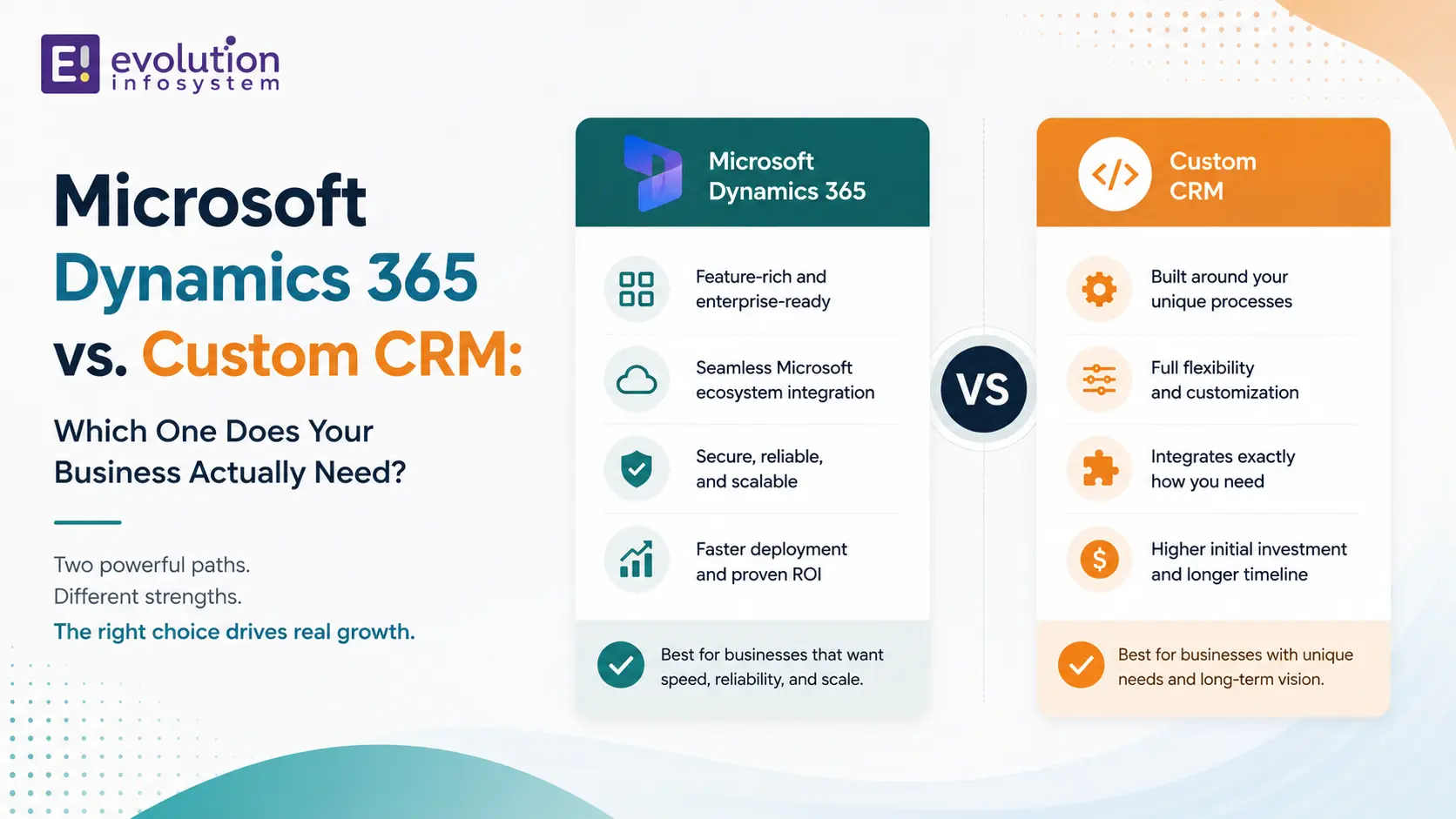
The question most businesses ask: Should we implement Microsoft Dynamics 365 or build a custom CRM?
The question they should ask first: Does our sales process, customer data model, and reporting requirement match what Dynamics 365 was built for?
The answer to the second question determines the answer to the first. Dynamics 365 is an exceptional product for businesses whose requirements fit its architecture. For businesses whose requirements don’t fit – and there are more of them than Microsoft’s marketing suggests – the implementation becomes an ongoing battle between what the software does and what the business needs.
Here’s the honest breakdown.
What Microsoft Dynamics 365 CRM Actually Is
Dynamics 365 is Microsoft’s cloud-based CRM and ERP platform. The CRM components – Sales, Customer Service, Marketing, and Field Service – are enterprise-grade products with deep integration into the Microsoft 365 ecosystem (Outlook, Teams, SharePoint, Excel) and the Azure cloud platform.
What Dynamics 365 does genuinely well:
→ Microsoft ecosystem integration.
If your organisation runs on Microsoft 365 – Outlook for email, Teams for communication, SharePoint for document management, Excel for reporting – Dynamics 365 integrates with all of them natively. Sales activities logged in Outlook appear in Dynamics automatically. Documents stored in SharePoint link to CRM records. This native integration is a genuine productivity advantage for Microsoft-centric organisations.
→ Power Platform extensibility.
Power Apps, Power Automate, and Power BI are tightly integrated with Dynamics 365. Business users can build custom forms and workflows with Power Apps without writing code. Complex business process automation runs in Power Automate. Dashboards and analytics come from Power BI. For organisations that want to extend CRM functionality without full custom development, Power Platform is a meaningful capability.
→ Enterprise feature depth.
Lead management, opportunity tracking, quote generation, customer service case management, field service scheduling, marketing campaign management – Dynamics 365 covers a broad functional range. Large sales organisations benefit from the structured pipeline management and forecasting capability built into the platform.
→ Compliance and security.
Built on Azure, with enterprise security controls, role-based access, audit logging, and compliance certifications relevant to regulated industries.
Where Dynamics 365 Creates Overhead
→ Implementation complexity.
Dynamics 365 is not plug-and-play. A standard Dynamics 365 Sales implementation requires discovery, configuration, data migration, user training, and typically a certified implementation partner. Timelines run months, not weeks, for anything beyond a basic deployment.
→ Licensing cost structure.
Dynamics 365 licences are per-user, per-module, and charged monthly. A mid-sized sales team with full Dynamics 365 Sales functionality quickly accumulates licence costs. Add Power Apps, Power BI Premium, and additional modules, and the total cost of ownership increases substantially.
→ Process compromise.
Dynamics 365 is designed around a standard sales process: lead → opportunity → quote → order. If your sales cycle doesn’t follow this model – if you sell projects, not products; if your customer relationships are account-based rather than contact-based; if your pipeline stages don’t match the standard template – you spend significant configuration effort bending the software toward your process, or you change your process to fit the software.
→ Customisation ceiling.
You can extend Dynamics 365 with custom entities, fields, workflows, and Power Apps components. But the underlying data model, the core UI paradigms, and the fundamental architecture are fixed. When your requirements push past the configuration ceiling, you’re writing code on top of a platform that wasn’t designed for what you’re doing – and that code becomes a maintenance obligation across every Dynamics update.
→ Update dependency.
Microsoft releases major Dynamics 365 updates twice a year. These updates are non-optional in the cloud version. Every update requires testing your customisations to verify they haven’t broken. For organisations with significant customisations, biannual update testing is a real operational overhead.
What a Custom CRM Gives You
A custom CRM is a customer relationship management system built specifically around your sales process, your customer data model, and your reporting requirements.
→ Your data model, not a generic one.
The entities in your custom CRM match your business reality. If you sell consulting engagements to enterprise accounts with multiple stakeholders across multiple projects, your CRM data model reflects that. You’re not adapting your reality to a contact/lead/opportunity template designed for product sales.
→ Your process, not a standard one.
The pipeline stages, the approval workflows, the automation rules, and the activity tracking are built around how your team actually sells – not how Dynamics thinks a sales process should work.
→ No per-user licensing.
Custom CRM has a development investment and a hosting cost. It does not have per-user licence fees that scale with your headcount. For organisations with large sales teams, this economics difference becomes significant over a 5-year horizon.
→ Full ownership.
You own the code, the data, and the roadmap. New features are added when you need them, on your timeline, without waiting for a platform roadmap or working around platform constraints.
→ Integration flexibility.
A custom CRM integrates with any system through its own APIs. You’re not limited to Dynamics’ native integrations or dependent on a connector marketplace.
The Decision Framework
Choose Microsoft Dynamics 365 when:
→ Your organisation is deeply Microsoft-centric.
If your team lives in Outlook and Teams, the native integration value is genuine and significant. The productivity benefit of sales activity automatically logging from Outlook alone justifies Dynamics for many Microsoft-heavy organisations.
→ Your sales process is standard.
Lead generation, opportunity management, quoting, and closing – if your sales process fits the standard Dynamics model without significant configuration, the platform delivers its full value.
→ You need enterprise CRM features out of the box.
Forecasting, territory management, multi-currency, advanced reporting, field service scheduling – these are built into Dynamics and would require significant development to build from scratch in a custom system.
→ You have the implementation resources.
Dynamics 365 implementation requires budget, time, and either internal expertise or a certified implementation partner. If these resources are available and the business case justifies them, Dynamics is a strong platform.
Choose a custom CRM when:
→ Your sales process is genuinely non-standard.
Project-based selling, relationship-led enterprise sales, subscription models with complex renewal logic, account hierarchies that don’t fit contact/lead templates – these benefit significantly from a CRM built around your actual model.
→ Your team isn’t Microsoft-centric.
If your organisation uses Google Workspace and Slack, the primary value proposition of Dynamics (Microsoft ecosystem integration) is irrelevant. A custom CRM integrated with your actual tool stack delivers better practical value.
→ Headcount is large enough that per-user licensing is material.
At 50+ users, the cumulative licence cost of Dynamics 365 over five years is a significant number. For organisations at this scale with non-standard requirements, the economics of custom development versus ongoing licensing often favour a custom build.
→ You need complete data control.
Some industries – healthcare, legal, financial services – have data residency requirements, data governance needs, or competitive sensitivity around customer data that makes a third-party SaaS CRM problematic. A custom CRM hosted on your own infrastructure removes this concern entirely.
The Hybrid Approach
A third option that’s worth considering: Dynamics 365 for standard functions combined with custom-built components for the non-standard ones. Use Dynamics for contact management, email integration, and basic pipeline tracking where it excels. Build a custom module for the specific elements of your sales process that Dynamics can’t handle well. Connect them through the Dynamics API.
This avoids the all-or-nothing choice and captures the value of both approaches where each is strongest.
Frequently Asked Questions (FAQs)
Is Microsoft Dynamics 365 worth it for small businesses?
For small businesses with a standard sales process and existing Microsoft 365 infrastructure, Dynamics 365 Sales Professional (the lower-tier licence) can be worthwhile. For small businesses with non-standard processes, limited Microsoft investment, or tight budgets, the implementation complexity and per-user licensing cost often make a custom or lighter CRM a better starting point.
How long does Microsoft Dynamics 365 implementation take?
A basic Dynamics 365 Sales implementation with standard configuration takes 6–12 weeks. A full implementation with custom entities, workflows, Power Apps, Power BI dashboards, and data migration from an existing system typically takes 3–6 months. Complex multi-module implementations (Sales + Customer Service + Marketing) can run 6–12 months.
What is the difference between Dynamics 365 Sales and Dynamics 365 Customer Service?
Dynamics 365 Sales manages the pre-sale process: leads, opportunities, quotes, and pipeline. Dynamics 365 Customer Service manages post-sale customer relationships: cases, tickets, knowledge base, and service level agreements. They share the same platform and data model but are licensed separately and serve different teams.
Can Microsoft Dynamics integrate with non-Microsoft systems?
Yes. Dynamics 365 has a REST API, webhook support, and a connector marketplace (including Power Automate connectors and Dataverse integration). Integration with non-Microsoft systems is possible but requires development effort – unlike native Microsoft integrations which work out of the box.
How much does custom CRM development cost vs Dynamics 365?
Custom CRM development has a higher upfront investment but no ongoing per-user licensing. Dynamics 365 has lower upfront cost but recurring licence fees that scale with headcount. Over a 5-year horizon at 50+ users, the economics often favour a custom build for organisations with non-standard requirements. The exact crossover depends on team size, feature scope, and the amount of Dynamics customisation required.
At Evolution Infosystem, we implement Microsoft Dynamics 365 and build custom CRM systems. We’ll give you an honest recommendation based on your actual requirements – and we’ll tell you when the other option is the better fit. Let’s talk about your CRM requirements.