Progressive Web Apps vs. Native Apps: The 2026 Decision Guide
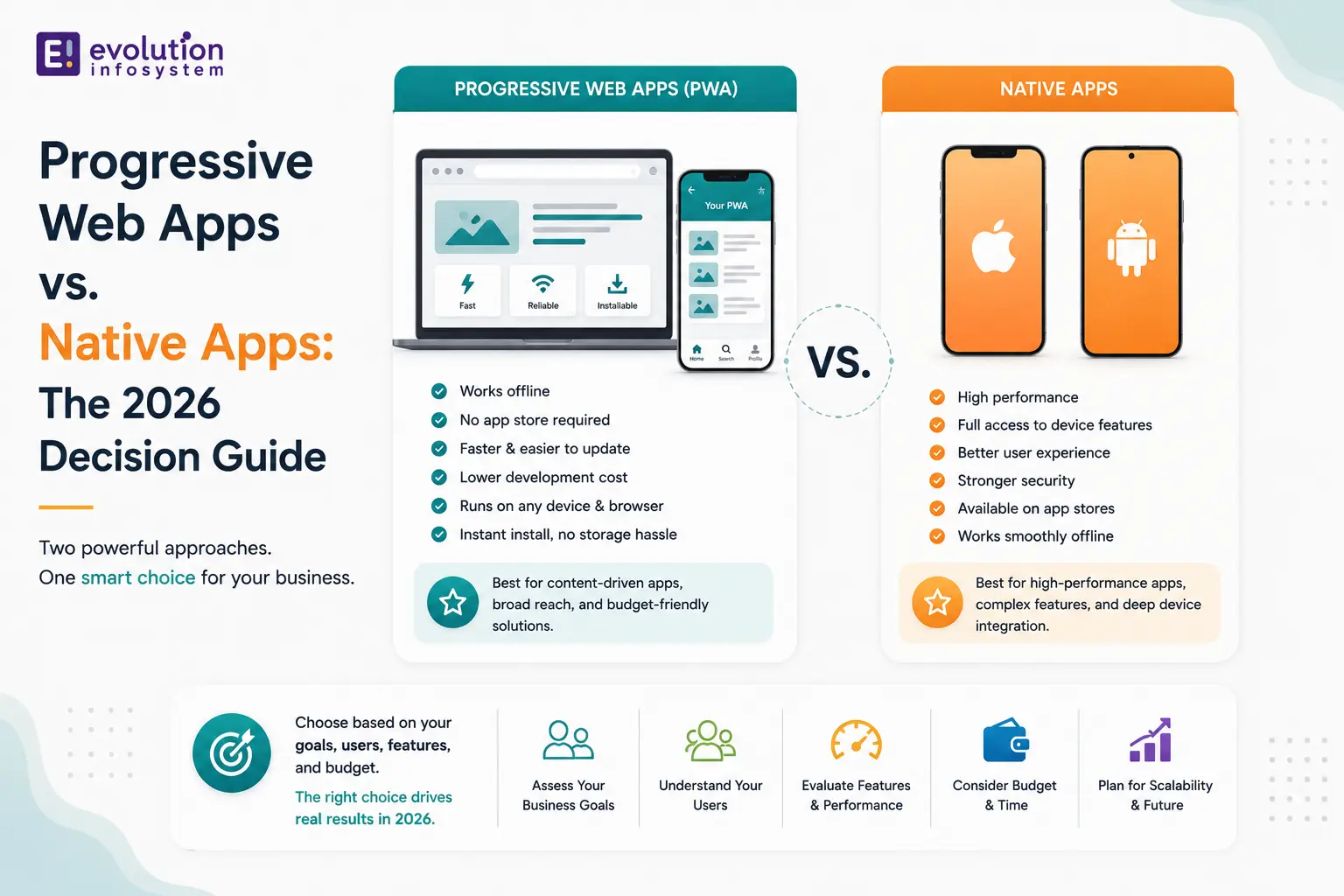
The line between a web application and a mobile app has been narrowing for years. Today, Progressive Web Apps have closed enough of the capability gap that for a significant category of products, building a native app is the wrong choice – not because native is bad, but because a well-built PWA delivers what the product needs without the overhead of app store distribution, dual codebase maintenance, and platform-specific development constraints.
That said, the gap hasn’t closed entirely. There are product categories where native is still the clear answer, and choosing a PWA because it’s simpler to build will cost you in capability and user experience.
Here’s how to make the right call.
What a Progressive Web App Actually Is
A Progressive Web App is a web application built with modern web APIs to deliver capabilities that have historically been exclusive to native apps: offline functionality, push notifications, home screen installation, background sync, and access to device hardware like the camera and geolocation.
PWAs run in the browser but can be installed to the home screen and launched in a standalone window without browser chrome – visually indistinguishable from a native app to most users. They’re served over HTTPS, use service workers to cache content for offline use, and are discoverable via standard web search.
The technology underpinning PWAs is not new – service workers have existed since 2015. What has changed is the depth of browser support, the breadth of available Web APIs, and Apple’s continued (if incremental) improvements to PWA support on iOS.
What PWAs Can Do in
The capabilities available to PWAs have expanded substantially:
→ Offline functionality.
Service workers cache application shell and content, enabling full or partial offline operation. A well-implemented offline strategy means users can continue using your application during connectivity interruptions – their actions queue and sync when connection restores.
→ Push notifications.
Supported across Android and desktop Chrome/Edge/Firefox. iOS support improved significantly with iOS 16.4+, which brought web push notifications to installed PWAs on iPhone. This removes the most frequently cited limitation of PWAs for consumer applications on iOS.
→ Home screen installation.
Users can install a PWA directly from the browser – no app store required. On Android, installation prompts are native and prominent. On iOS, the “Add to Home Screen” flow is functional but less discoverable.
→ Device API access.
Camera, microphone, geolocation, vibration, clipboard, file system access, Bluetooth (via Web Bluetooth API), and USB (via WebUSB) are all accessible to PWAs in supported environments. The Web Bluetooth and WebUSB APIs are particularly significant for IoT and enterprise applications.
→ Background sync.
Service workers can execute background tasks – syncing data, sending queued requests – even when the PWA isn’t open. This is the mechanism that allows offline-first applications to behave reliably across connectivity interruptions.
Where PWAs Win in
→ Content and media applications.
News, publishing, streaming, podcasts, e-reading – applications where the primary value is delivering content rather than device-intensive experiences. PWAs load fast, support offline reading, and reach users across every device without platform-specific development.
→ E-commerce and retail.
PWAs consistently outperform native apps on the metrics that matter for e-commerce: load time, bounce rate, and conversion. Starbucks’ PWA reduced data usage by 99.84% compared to their iOS app. Flipkart’s PWA increased time spent on site by 3x. For e-commerce brands trying to reach a global audience across varying device quality and connectivity, PWAs are frequently the higher-performing choice.
→ B2B and enterprise tools.
Internal tools, dashboards, CRM interfaces, and operational applications that are used on a mix of devices including desktop. PWAs work identically across desktop and mobile, eliminating the need for separate web and mobile applications. They can be deployed without IT-managed app store installations – a meaningful advantage in enterprise environments.
→ Broad reach on a single codebase.
A PWA is one codebase that works on iOS, Android, desktop, and any browser. If your product needs to reach users across all of these surfaces without the overhead of maintaining a web app, an iOS app, and an Android app separately, a PWA is a compelling architectural choice.
Where Native Apps Still Win
→ Hardware-intensive experiences.
Augmented reality, real-time 3D graphics, high-frequency sensor processing, and applications that push GPU and CPU limits need native performance. Web APIs have improved, but the performance ceiling for hardware-intensive work is still lower than native code running directly on the platform runtime.
→ App store distribution and discovery.
If organic app store discovery is a meaningful acquisition channel for your product, native is the only option. PWAs are not listed in the App Store or Google Play. For consumer applications where “I searched the App Store and found you” is part of the growth model, this is a real limitation.
→ Deep platform integration.
Face ID and Touch ID authentication (beyond the limited Web Authentication API), advanced haptics, platform widgets and extensions, Siri and Google Assistant integration, CarPlay, Apple Watch – these are native-only surfaces. If your product’s experience depends on any of them, PWA is the wrong choice.
→ iOS limitations remain real.
Despite Apple’s incremental improvements to PWA support, iOS Safari still lags behind Chrome and Edge on web API coverage. Background execution is severely limited on iOS PWAs. If your primary audience is iOS users and your application requires reliable background processing, native is more dependable.
The Decision Framework
1. Is app store distribution a core part of your growth model?
Yes → Native.
No → PWA is viable.
2. Does your application require hardware-intensive processing, advanced haptics, or deep OS integration?
Yes → Native.
No → PWA is viable.
3. Is your primary audience iOS users who need reliable background processing?
Yes → Native.
Mixed or Android-primary → PWA is viable.
4. Do you need to reach users across desktop and mobile with a single codebase?
Yes → PWA is a strong choice.
Mobile-only → Evaluate both.
5. Is fast load time and broad accessibility across device quality levels critical?
Yes → PWA often outperforms native on these metrics.
The Hybrid Reality: PWA + Native
The cleanest real-world answer for many products is not “PWA or native” – it’s both, deployed deliberately.
A PWA as the primary web-and-mobile experience, optimized for speed and broad reach. A native app for the audience segment that needs app store distribution, deeper platform integration, or features the web platform can’t support. Both sharing the same backend API and as much business logic as the architecture allows.
This approach is not always necessary – many products are genuinely better served by one or the other exclusively. But for products where the PWA vs. native question doesn’t have a clear winner, the hybrid path captures the advantages of both without forcing a false choice.
Frequently Asked Questions (FAQs)
Are Progressive Web Apps better than native apps in 2026?
For some product categories – content, e-commerce, B2B tools, broad multi-platform reach – PWAs match or outperform native apps on the metrics that matter (load speed, conversion, reach). For hardware-intensive applications, deep platform integrations, and app-store-dependent growth models, native apps remain the better choice.
Do PWAs work on iPhone in 2026?
Yes, with limitations. iOS 16.4+ added web push notification support for installed PWAs, which addressed the most significant gap. However, background processing, certain Web APIs, and app store distribution remain limited on iOS compared to Android. For products where iOS users are the primary audience and background functionality is required, these limitations matter.
Can a PWA replace a native app?
For many products, yes. If your application doesn’t require hardware-intensive processing, app store discovery, or deep OS integration, a well-built PWA can deliver equivalent functionality with significantly less development and maintenance overhead. The decision depends on specific product requirements, not general preference.
What is the main advantage of a PWA over a native app?
One codebase that works across all platforms and devices, no app store approval process, instant updates without user action, better discoverability via search engines, and typically faster load times – especially on lower-end devices and slower connections.
At Evolution Infosystem, we build both PWAs and native mobile applications – and we’ll tell you honestly which one fits your product. The goal is always the right architecture for the specific requirements, not the one that’s easiest to sell. If you’re making this decision and want a straight assessment, let’s talk.