REST API vs GraphQL: Which Should You Use in 2026?
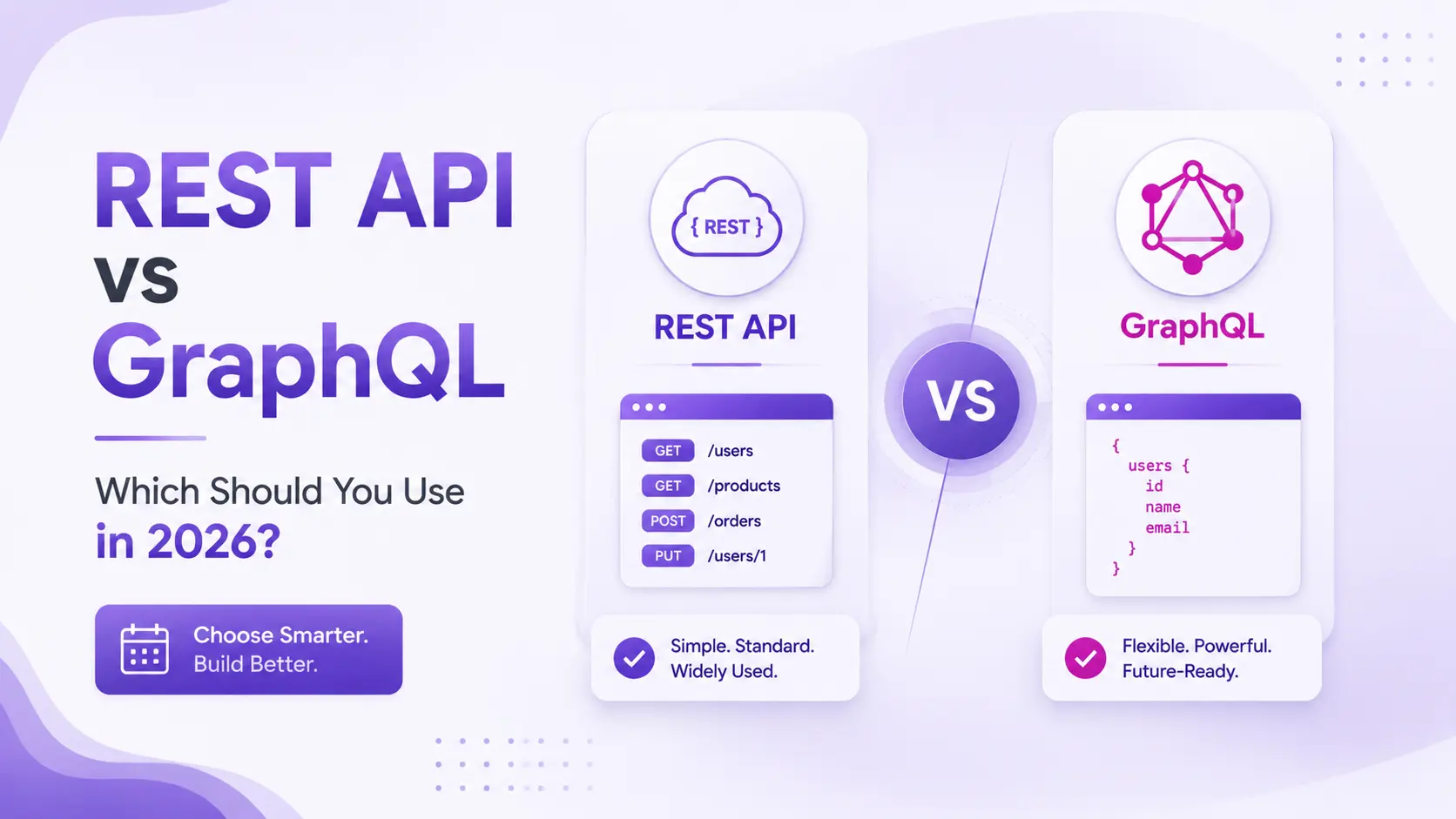
1. The Short Answer (for developers who are busy)
Use REST for public APIs, simple CRUD operations, and standard integrations. Use GraphQL when your front-end or mobile team needs to fetch complex, related data efficiently from a single request, or when multiple clients with different data needs consume the same backend.
Use both together when your application serves a public REST API for partner integrations and a GraphQL API for your own front-end clients.
| QUICK DECISION – Pick REST if: – You are building a public API that external developers will integrate – Your data model is simple with few entity relationships – HTTP caching is important for your performance requirements – Your team is more familiar with REST conventions QUICK DECISION – Pick GraphQL if: – Multiple front-end clients (web, mobile, TV) need different data shapes – Your data has complex relationships (users → posts → comments → likes) – Mobile bandwidth optimization matters to your user experience – Your front-end team wants flexibility to fetch data without backend changes |
Now, if you want to understand WHY – and make the right decision for your specific project – keep reading. The details matter more than you might think.
2. What Is a REST API? – The Complete Explanation
REST stands for Representational State Transfer. It is an architectural style for building web services, defined by Roy Fielding in his 2000 doctoral dissertation at UC Irvine. REST is not a protocol or a standard – it is a set of design principles that, when followed, produce APIs that are predictable, scalable, and easy to understand.
The 6 REST Principles
- Stateless – Each request contains all the information needed. The server stores no client session state between requests.
- Client-Server – The front-end and back-end are separated. Each can evolve independently.
- Cacheable – Responses explicitly declare whether they can be cached. GET responses are typically cacheable.
- Uniform Interface – Resources are identified by URLs. Standard HTTP methods are used consistently.
- Layered System – Clients cannot tell if they are connected directly to the server or through a proxy/CDN.
- Code on Demand (optional) – Servers can send executable code (like JavaScript) to clients.
What a REST API Looks Like in Practice
A REST API models your application’s data as resources. Each resource has a URL, and you interact with it using standard HTTP methods:
# REST API for a Blog Platform

GET    /posts              → Returns list of all posts
GET    /posts/42           → Returns post with ID 42
POST   /posts              → Creates a new post
PUT    /posts/42           → Updates post 42 (full replacement)
PATCH  /posts/42           → Updates post 42 (partial update)
DELETE /posts/42           → Deletes post 42

GET    /posts/42/comments  → Returns comments for post 42
POST   /posts/42/comments  → Creates a comment on post 42
The key characteristic of REST is that each URL represents a resource, and the HTTP method describes the action. This convention is widely understood – any developer who has worked with APIs before knows immediately how your REST API works without reading extensive documentation.
What a REST Response Looks Like
// GET /posts/42
// HTTP 200 OK

{
  "id": 42,
  "title": "REST API vs GraphQL: The Definitive Guide",
  "content": "...",
  "author": {
    "id": 7,
    "name": "Evolution",
    "email": "[email protected]"
  },
  "tags": ["api", "graphql", "rest"],
  "published_at": "2026-03-15T10:30:00Z",
  "views": 4821,
  "likes": 312
}
3. What Is GraphQL? – The Complete Explanation
GraphQL is a query language for APIs and a runtime for executing those queries, developed by Facebook (now Meta) in 2012 and open-sourced in 2015. The name GraphQL reflects that it treats your application’s data as a graph – a network of connected entities – and gives clients the ability to traverse and query that graph with precision.
Unlike REST, where the server decides what data to send, GraphQL gives clients the power to specify exactly what data they need – no more, no less. This is GraphQL’s defining characteristic and its primary advantage over REST.
How GraphQL Works
A GraphQL API exposes a single endpoint – typically /graphql – that accepts POST requests containing a query written in GraphQL’s query language. The server executes the query against its schema and returns exactly the data requested:
# GraphQL query - asking for exactly what you need

query GetPost {
  post(id: 42) {
    title
    author {
      name
    }
    comments {
      content
      author {
        name
      }
    }
  }
}

# Response - exactly what was asked, nothing else
{
  "data": {
    "post": {
      "title": "REST API vs GraphQL: The Definitive Guide",
      "author": { "name": "Evolution" },
      "comments": [
        { "content": "Great post!", "author": { "name": "Chintan" } }
      ]
    }
  }
}
GraphQL Core Operations
- Query – Read data. Equivalent to GET in REST. Can request any combination of fields.
- Mutation – Write data. Equivalent to POST, PUT, PATCH, DELETE in REST.
- Subscription – Real-time data. A persistent connection that pushes updates when data changes.
GraphQL Schema – The Contract
GraphQL APIs are defined by a type schema – a formal description of every entity and operation available:
# GraphQL Schema Definition Language (SDL)

type Post {
  id: ID!
  title: String!
  content: String!
  author: User!
  comments: [Comment!]!
  publishedAt: DateTime!
}

type User {
  id: ID!
  name: String!
  email: String!
  posts: [Post!]!
}

type Query {
  post(id: ID!): Post
  posts(limit: Int, offset: Int): [Post!]!
  user(id: ID!): User
}

type Mutation {
  createPost(title: String!, content: String!): Post!
  deletePost(id: ID!): Boolean!
}
4. REST vs GraphQL – The Full Side-by-Side Comparison
Here is the definitive comparison across every technical and practical dimension that affects your architecture decision:
| Factor | REST API | GraphQL |
|---|---|---|
| API Endpoints | Multiple endpoints (one per resource) | Single endpoint (/graphql) |
| Request Style | Fixed URL + HTTP method | Flexible query language |
| Data Returned | Server decides – returns predefined structure | Client decides – returns exactly what’s asked |
| Over-fetching | Common – extra fields returned | Eliminated – only requested fields returned |
| Under-fetching | Common – may need multiple requests | Eliminated – one query gets all related data |
| HTTP Caching | Excellent – GET requests cache natively | Complex – POST requests don’t cache by default |
| Learning Curve | Low – HTTP conventions are universal | Medium – GraphQL schema and query language to learn |
| Error Handling | HTTP status codes (400, 404, 500, etc.) | Always 200 OK – errors inside response body |
| Type Safety | Optional (OpenAPI schema validation) | Built-in – strongly typed schema |
| Versioning | URL versioning (/v1, /v2) – straightforward | Schema evolving – add fields, deprecate old ones |
| Real-Time Support | Polling or WebSockets (separate setup) | Subscriptions – built into the spec |
| File Uploads | Simple – multipart form data | Complex – requires special handling |
| Tooling | Postman, curl, Swagger – universal | GraphiQL, Apollo Studio – specialized |
| Browser DevTools | Network tab shows requests clearly | All requests look identical in network tab |
| Best For | Public APIs, CRUD, integrations, microservices | Complex data, mobile apps, multiple front-ends |
5. The Over-Fetching and Under-Fetching Problem – With Real Examples
This is the problem that motivated Facebook to build GraphQL in 2012 – and understanding it concretely is the key to knowing when GraphQL is worth the added complexity.
Over-Fetching – Getting More Than You Need
Imagine your mobile app’s home screen shows a list of posts with just the post title and author name. In REST:
GET /posts

// You receive:
[{
  "id": 42,
  "title": "REST API vs GraphQL",   ← You need this
  "content": "3,000 word article...", ← You DO NOT need this (massive)
  "author": {
    "id": 7,
    "name": "Evolution",            ← You need this
    "email": "...",                   ← You DO NOT need this
    "bio": "...",                     ← You DO NOT need this
    "avatar_url": "...",              ← You DO NOT need this
  },
  "tags": [...],                     ← You DO NOT need this
  "views": 4821,                     ← You DO NOT need this
  "likes": 312,                      ← You DO NOT need this
  "created_at": "...",               ← You DO NOT need this
  "updated_at": "..."                ← You DO NOT need this
}]
On a mobile connection, downloading that full response for 20 posts wastes bandwidth and slows your app. With GraphQL:
query { posts { title author { name } } }

// You receive ONLY:
[{ "title": "REST API vs GraphQL", "author": { "name": "Evolution" } }]
Under-Fetching – Not Getting Enough in One Request
Now imagine you are building a user profile page that shows the user’s details, their 5 most recent posts, and their follower count. With REST, this typically requires multiple requests:
GET /users/7                    → User details
GET /users/7/posts?limit=5      → Recent posts
GET /users/7/followers/count    → Follower count

// 3 round trips = 3x the network latency
// On mobile with 150ms round trip time = 450ms minimum just in network
With GraphQL, all of this is a single query:
query GetUserProfile {
  user(id: 7) {
    name
    email
    avatar
    posts(limit: 5) { title publishedAt }
    followerCount
  }
}

// 1 round trip = exactly the data needed
Over-fetching wastes bandwidth. Under-fetching wastes time. GraphQL eliminates both – but only if your data is genuinely complex enough to justify the added infrastructure.
6. Performance – Which Is Actually Faster?
This is a nuanced answer and the internet gets it wrong frequently. The honest answer: it depends entirely on your use case.
Where REST Performs Better
- Simple data requests – A single REST GET /products/42 with a proper index is hard to beat for raw speed.
- Cached responses – HTTP GET caching via CDN (Cloudflare, AWS CloudFront) can serve REST responses in under 10ms globally. GraphQL POST requests do not cache at the HTTP layer by default.
- High-volume read-heavy APIs – If 80% of your traffic is reading the same data, REST caching dramatically reduces database load. GraphQL requires custom caching implementation (Apollo’s persisted queries, Redis) to achieve the same.
Where GraphQL Performs Better
- Mobile applications – Eliminating over-fetching reduces payload size. On a 4G connection in India with 100-200ms latency, eliminating 2 extra API round trips saves 200-400ms – a measurable user experience improvement.
- Complex data requirements – When a page needs data from 5-10 different resources, GraphQL’s single round trip vs REST’s multiple requests wins decisively.
- Real-time features – GraphQL subscriptions provide a clean abstraction for real-time data that REST requires WebSocket setup to achieve.
PERFORMANCE VERDICT:
Simple data, cacheable responses → REST wins
Complex data, mobile, multiple related entities → GraphQL wins
For most enterprise applications → The difference is negligible at typical scale
Note: The biggest performance gains come from proper database indexing, Redis caching, and CDN setup – not from REST vs GraphQL choice. Both can be made fast. Both can be made slow.
7. Caching – REST Wins Here, and It Matters More Than You Think
HTTP caching is one of REST’s greatest advantages and a genuine challenge for GraphQL. Understanding this difference is critical for high-traffic applications.
REST HTTP Caching – How It Works
REST APIs use HTTP GET for read operations. GET requests can be cached at every level of the network stack:
- Browser cache – The browser stores the response and uses it for subsequent identical requests
- CDN cache – Cloudflare, AWS CloudFront, or Fastly serve cached responses from edge nodes globally
- Reverse proxy cache – Nginx or Varnish cache responses before they reach your API server
A properly configured REST API serving a product catalog can handle millions of requests per day with minimal server load, because 95% of GET requests are served from CDN cache. This is genuinely difficult to replicate with GraphQL.
GraphQL Caching – The Challenge
GraphQL uses POST requests by default – even for read operations. POST requests are not cached at the HTTP layer. This means every GraphQL query hits your API server, even if the same query was made 1 second ago.
Solutions exist – but they add complexity:
- Persisted queries – Pre-registered query hashes that can be GET requests (Apollo, Relay)
- Apollo Client in-memory cache – Client-side caching of query results by normalized entity
- Redis response cache – Cache complete query responses server-side
- CDN-level GraphQL caching – Supported by GraphCDN and specialized providers
CACHING VERDICT: For public APIs, content APIs, and any high-read-volume API – REST’s native HTTP caching is a significant operational and cost advantage. You should factor this into your architecture decision, especially if you expect high traffic volumes.
8. Security – Differences You Need to Know
Both REST and GraphQL have security considerations, but they differ in important ways.
REST API Security
- HTTP status codes make auth failures explicit – 401 Unauthorized, 403 Forbidden are unambiguous
- Rate limiting per endpoint is straightforward – limit /login to 5 requests per minute
- Field-level access control is enforced by simply not including fields in the response
- OWASP API Security Top 10 covers REST-specific vulnerabilities comprehensively
GraphQL-Specific Security Challenges
- Query complexity attacks – A malicious client can write deeply nested queries that hammer your database. Protect with query depth limiting and complexity scoring.
- Introspection exposure – GraphQL’s introspection query reveals your entire schema to anyone. Disable in production or restrict to authenticated clients.
- Batch query attacks – A single GraphQL request can contain multiple operations, enabling brute-force attacks in one HTTP request.
- Over-permission through field access – If your resolver returns a user object, all fields of that object are accessible unless explicitly protected.
SECURITY VERDICT: REST has a simpler, more battle-tested security model. GraphQL requires additional security layers (query depth limiting, complexity scoring, introspection control, field-level authorization) that are not needed with REST. Neither is inherently more or less secure – but GraphQL requires more deliberate security engineering.
9. When to Choose REST – Specific Use Cases
CHOOSE REST WHEN:
✓ Building a PUBLIC API – External developers know REST. A GraphQL API with an unfamiliar query language will slow down partner integrations.
✓ SIMPLE CRUD OPERATIONS – Creating, reading, updating, and deleting resources without complex data relationships. REST’s URL structure communicates intent clearly.
✓ CACHING IS CRITICAL – High-traffic content APIs, product catalogs, news feeds – anything where CDN caching provides significant performance and cost benefits.
✓ MICROSERVICES INTERNAL COMMUNICATION – Service-to-service communication with well-defined contracts. REST is universally understood and easy to document with OpenAPI.
✓ THIRD-PARTY INTEGRATIONS – Stripe, Salesforce, Shopify, SAP, and virtually every enterprise system exposes REST APIs. REST is the universal language of integration.
✓ YOUR TEAM KNOWS REST WELL – Developer experience matters. A team that knows REST deeply will build a better REST API than a mediocre GraphQL API.
✓ REGULATED INDUSTRIES – Financial services, healthcare, and government APIs often have compliance requirements that are more straightforwardly met with REST’s explicit HTTP semantics
10. When to Choose GraphQL – Specific Use Cases
CHOOSE GRAPHQL WHEN:
✓ MULTIPLE CLIENTS WITH DIFFERENT DATA NEEDS – Your web app, iOS app, Android app, and smart TV app all need different fields from the same entities. GraphQL lets each client ask for exactly what it needs without separate endpoints.
✓ COMPLEX, DEEPLY RELATED DATA – Social networks, e-commerce platforms with products, categories, reviews, sellers, and recommendations. GraphQL’s graph traversal is natural for this data shape.
✓ MOBILE BANDWIDTH OPTIMIZATION – When you serve users on slow connections, eliminating over-fetching reduces payload size meaningfully. Facebook built GraphQL for this exact reason.
✓ RAPID FRONT-END ITERATION – Front-end teams can add data requirements to their queries without waiting for backend changes. This dramatically accelerates product development velocity.
✓ BACKEND FOR FRONTEND (BFF) PATTERN – GraphQL excels as an aggregation layer that sits between your front-end clients and multiple backend microservices, composing data from multiple sources into a single flexible API.
✓ REAL-TIME FEATURES – If your application needs live data updates (collaborative tools, live dashboards, notifications), GraphQL subscriptions provide a clean abstraction.
✓ DATA DISCOVERY AND EXPLORATION – Developer tools like GraphiQL allow teams to explore your API schema visually and test queries interactively – excellent for internal developer experience.
11. When to Use Both Together – The Hybrid Architecture
The REST vs GraphQL debate often creates a false binary. Many production systems at scale use both – and it is frequently the correct architectural choice.
The Most Common Hybrid Pattern
A public REST API for external integrations + a GraphQL API for your own front-end clients:
# External partners, third-party developers, integrations
REST API: api.yourapp.com/v1/*
  → Stripe-like developer experience
  → OpenAPI documentation
  → HTTP caching for read-heavy endpoints
  → Standard authentication (API keys, OAuth 2.0)

# Internal front-end clients (web, iOS, Android)
GraphQL API: api.yourapp.com/graphql
  → Your React/Vue front-end fetches exactly what each page needs
  → Your iOS app fetches a different set of fields for the same entities
  → No over-fetching on mobile
  → Real-time subscriptions for live features
This is how companies like GitHub operate – a REST API (github.com/v3) for broad ecosystem integrations, and a GraphQL API (github.com/graphql) for their own web application and for developers who need the flexibility.
The BFF (Backend for Frontend) Pattern
Another common hybrid: use REST for all microservice-to-microservice communication internally, and put a GraphQL layer (the BFF) between your back-end services and your front-end clients. The GraphQL BFF aggregates data from multiple REST microservices and exposes a single flexible API to your front-end teams.
User Mobile App
       ↓ GraphQL query
BFF GraphQL Layer
  ↓             ↓             ↓
User Service  Order Service  Product Service
(REST)        (REST)         (REST)
12. The Decision Framework – 5 Questions to Ask
Stop Googling ‘REST vs GraphQL which is better’ – there is no universal answer. Ask these 5 questions about YOUR project:
| # | QUESTIONS TO ASK | If Answer Is YES → Choose | If Answer Is NO → Consider |
|---|---|---|---|
| 1 | Will external developers integrate with your API? | REST – universal developer familiarity | GraphQL may work if you control all consumers |
| 2 | Is caching for high traffic a primary requirement? | REST – native HTTP GET caching | GraphQL with custom caching strategy |
| 3 | Do multiple front-end clients need different data shapes? | GraphQL – per-client data flexibility | REST – one response format is fine |
| 4 | Is your data highly relational (5+ connected entity types)? | GraphQL – graph traversal is natural | REST – simple resources work well |
| 5 | Is your team’s REST expertise significantly higher than GraphQL? | REST – developer experience > theoretical benefits | GraphQL – if team is comfortable learning |
If you answered YES to questions 1 and 2 and NO to questions 3 and 4 – use REST. If you answered NO to 1 and 2 and YES to 3 and 4 – use GraphQL. Mixed answers → use both.
13. Real-World Examples – Who Uses What and Why
| COMPANY | API TYPE | PLATFORM | WHY THIS CHOICE |
|---|---|---|---|
| Stripe | REST | Payment API | External developers integrate Stripe. REST’s predictability and universal understanding is critical for developer adoption. |
| GitHub | Both | Code Platform | REST API v3 for broad ecosystem. GraphQL API v4 for their own web UI – different data needs per page. |
| Shopify | Both | E-commerce | REST Admin API for merchant integrations. Storefront GraphQL API for headless front-ends needing flexible product data. |
| GraphQL | Social Network | The creator of GraphQL. Complex social graph, multiple clients (iOS, Android, web), bandwidth optimization at billions of users. | |
| Twitter/X | REST | Social Platform | Public REST API for the massive developer ecosystem. Familiarity and tooling support outweigh GraphQL benefits. |
| Netflix | GraphQL | Streaming Platform | BFF GraphQL layer aggregates data from 100s of microservices for their device front-ends. |
| AWS | REST | Cloud Services | Public APIs for developers worldwide. REST’s universal understanding is essential at this scale of developer adoption. |
| Airbnb | GraphQL | Marketplace | Complex data: listings, hosts, reviews, pricing, availability. GraphQL handles the relational complexity efficiently. |
14. Summary and Our Recommendation
After 13 sections, here is the honest summary:
| USE REST WHEN: – External developers will integrate with your API (public API) – Your data model is simple with few entity relationships – HTTP caching is important for your performance and cost – You are building integrations with third-party services – Your team has strong REST expertise – You are in a regulated industry requiring audit-friendly API semantics USE GRAPHQL WHEN: – Multiple front-end clients need different data shapes – Your data is highly relational and complex – Mobile bandwidth optimization matters – Your front-end team wants flexibility without backend changes – You are building a Backend for Frontend (BFF) aggregation layer – Real-time data features are a core requirement USE BOTH WHEN: – You need a public REST API for external partners AND a flexible API for your own front-ends – Your microservices communicate via REST internally AND your front-ends use GraphQL via BFF |
The most important decision is not REST vs GraphQL – it is choosing the option your team can implement correctly and securely. A well-built REST API beats a poorly-built GraphQL API every time. And a well-built GraphQL API beats a poorly-built REST API in the use cases it is designed for.
If you are still unsure which is right for your specific project – the answer is usually ‘it depends on details you have not shared yet,’ which means you need to talk to someone who will ask the right questions.